
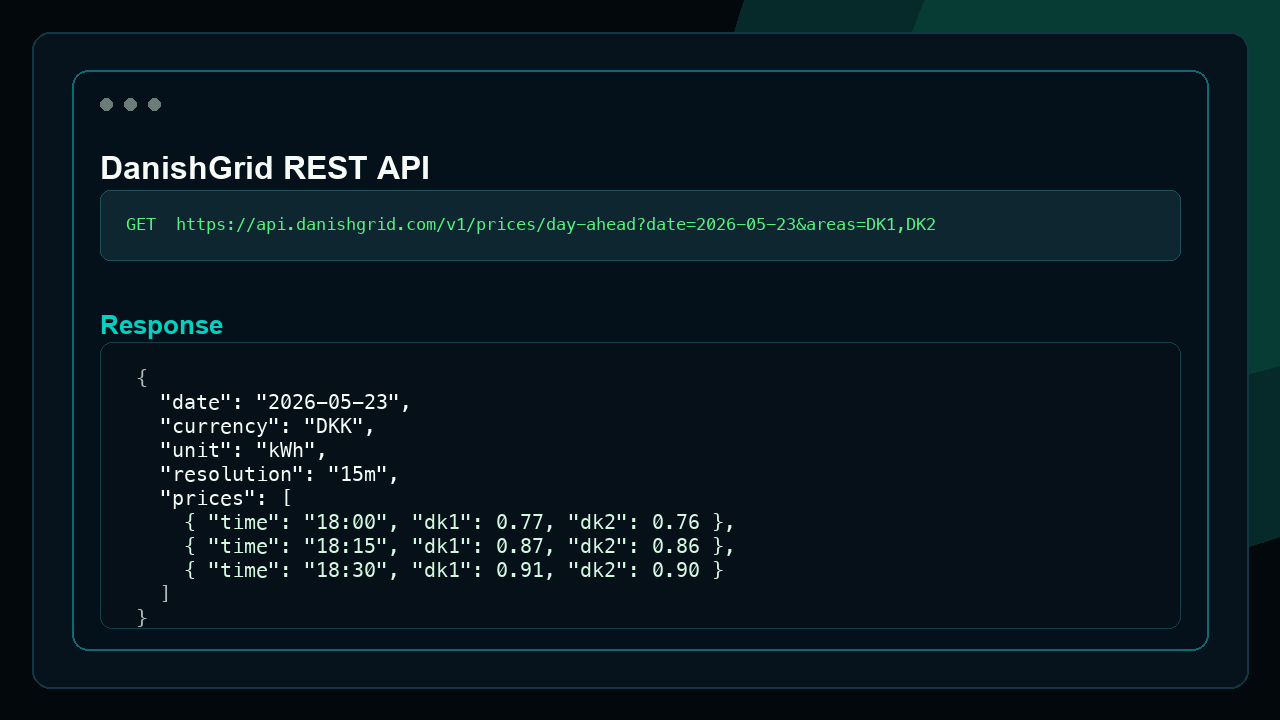
REST API
Reliable access for dashboards and apps
Pull structured Danish energy data into dashboards, apps, spreadsheets, and analytics workflows for free. Please credit danishgrid.com as the data source.
REST API and MCP access
DanishGrid provides free REST API and MCP server access for Danish spot prices, DSO tariffs, TSO tariffs, cost overview data, and balancing market data. You can use it in your own tools as long as you mention the source as danishgrid.com.
REST API
Pull structured Danish energy data into dashboards, apps, spreadsheets, and analytics workflows for free. Please credit danishgrid.com as the data source.
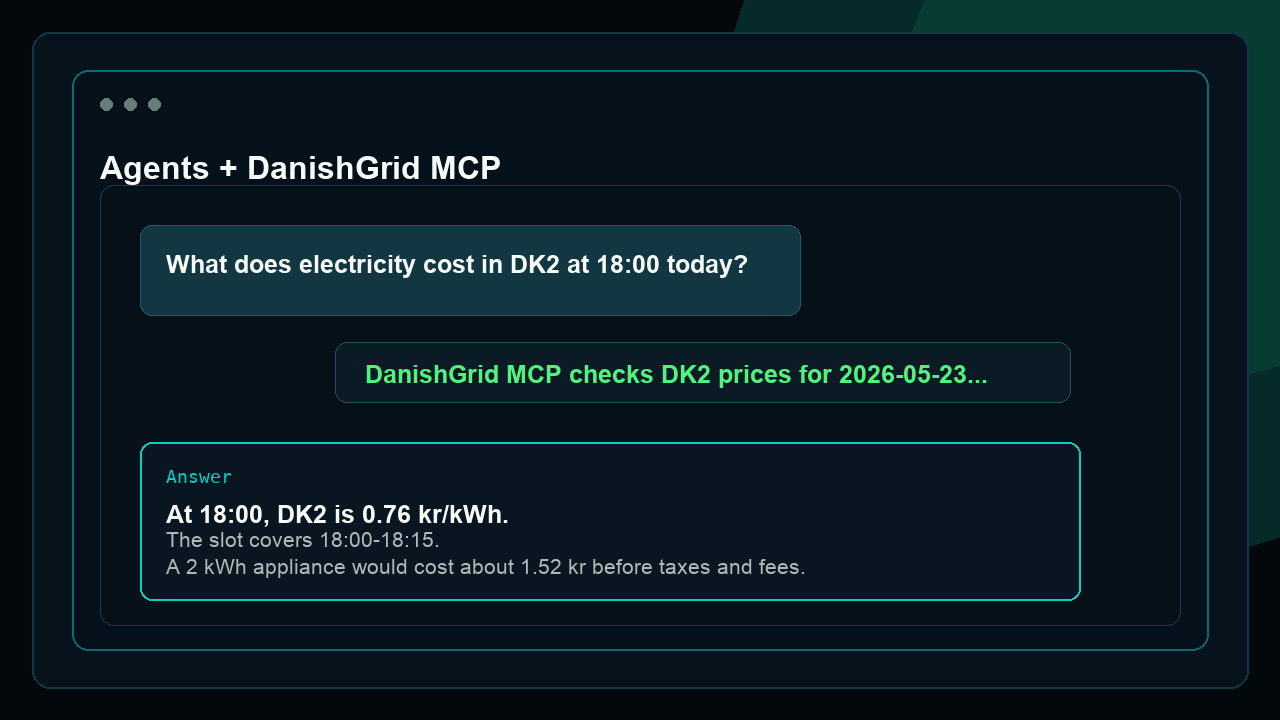
MCP Server
Let assistants and internal agents query DanishGrid data for answers, comparisons, and planning. MCP access uses free OAuth client credentials sent by email.
REST API
Use the email form above. DanishGrid sends your REST API key and MCP OAuth client credentials in the same email.
Free to use with attribution: mention danishgrid.com as the source.
Base URL: https://danishgrid.com/v1
Send your key as x-api-key, Authorization: Bearer YOUR_KEY, or apiKey query parameter.
Free REST API requests are limited to 1 request every 5 seconds.
| Endpoint | Parameters | Description |
|---|---|---|
GET /v1/electricity-price |
date (YYYY-MM-DD, required) |
Electricity spot prices for DK1 and DK2 |
GET /v1/balance-energy-market |
date (YYYY-MM-DD, required), area (DK1/DK2, required), currency (DKK/EUR, required) |
Balancing energy market — Day Ahead, imbalance, aFRR and mFRR. Activated volumes and settlement prices. |
GET /v1/balance-capacity-market |
date (YYYY-MM-DD, required), area (DK1/DK2, required), currency (DKK/EUR, required) |
Balancing capacity market — aFRR, mFRR and FCR reserve capacity prices, demand and procured MW. |
GET /v1/grid-state |
— | Current Danish grid surplus or deficit for DK1 and DK2 in MW |
GET /v1/tso-tariffs |
date (YYYY-MM-DD, required), flowType (consumption/production), currency (DKK/EUR), unit (kWh/MWh) |
Energinet TSO tariff components and total |
GET /v1/dso-tariffs |
query or postcode (required), date (YYYY-MM-DD, required), consumerType (C/A_LOW/A_HIGH/B_LOW/B_HIGH, required), flowType (consumption/production), currency (DKK/EUR), unit (kWh/MWh) |
DSO lookup with tariff, discount, and final prices for the selected date |
GET /v1/cost-overview |
query or postcode (required), date (YYYY-MM-DD, required), consumerType (C/A_LOW/A_HIGH/B_LOW/B_HIGH), flowType (consumption/production), currency (DKK/EUR), unit (kWh/MWh) |
Cost overview with electricity price, DSO tariffs, TSO tariffs, electricity tax, and total cost for each 15-minute slot |
curl -H "x-api-key: YOUR_KEY" "https://danishgrid.com/v1/electricity-price?date=2026-05-30"curl -H "x-api-key: YOUR_KEY" "https://danishgrid.com/v1/balance-energy-market?date=2026-05-30&area=DK1¤cy=DKK"curl -H "x-api-key: YOUR_KEY" "https://danishgrid.com/v1/balance-capacity-market?date=2026-05-30&area=DK1¤cy=DKK"curl -H "x-api-key: YOUR_KEY" "https://danishgrid.com/v1/tso-tariffs?date=2026-05-30&flowType=consumption¤cy=DKK&unit=kWh"curl -H "x-api-key: YOUR_KEY" "https://danishgrid.com/v1/dso-tariffs?query=7800&date=2026-05-30&consumerType=C&flowType=consumption¤cy=DKK&unit=kWh"curl -H "x-api-key: YOUR_KEY" "https://danishgrid.com/v1/cost-overview?query=Ringstedgade%2066%2C%204000%20Roskilde&date=2026-05-30&consumerType=C&flowType=consumption¤cy=DKK&unit=kWh"MCP Server
Use the email form above. DanishGrid sends your MCP client ID and client secret together with your REST API key.
Use the MCP URL below. When your client asks for credentials, enter the OAuth client ID and client secret from the email.
https://danishgrid.com/mcpAdd this to your claude_desktop_config.json:
{
  "mcpServers": {
    "danishgrid": {
      "type": "http",
      "url": "https://danishgrid.com/mcp",
      "headers": {
        "x-client-id": "YOUR_CLIENT_ID",
        "x-client-secret": "YOUR_CLIENT_SECRET"
      }
    }
  }
}If your MCP client cannot set headers, use the URL credential format.
https://danishgrid.com/mcp?client_id=YOUR_CLIENT_ID&client_secret=YOUR_CLIENT_SECRETYou can also use your client ID as the username and your client secret as the password.
Authorization: Basic base64(YOUR_CLIENT_ID:YOUR_CLIENT_SECRET)| Tool | Parameters | Description |
|---|---|---|
electricity_price |
date, area (DK1/DK2), currency (DKK/EUR), unit (kWh/MWh) |
Electricity spot prices for a date and price area |
balance_energy_market |
date, area (DK1/DK2), currency (DKK/EUR) |
Balancing energy market — Day Ahead, imbalance, aFRR and mFRR. Activated volumes and settlement prices. |
balance_capacity_market |
date, area (DK1/DK2), currency (DKK/EUR) |
Balancing capacity market — aFRR, mFRR and FCR reserve capacity prices, demand and procured MW. |
grid_state |
— | Current Danish grid surplus or deficit for DK1 and DK2 in MW |
tso_tariffs |
date, flowType, currency (DKK/EUR), unit (kWh/MWh) |
Energinet transmission tariff components |
dso_tariffs |
query, date, consumerType, flowType, currency, unit |
DSO lookup with tariff, discount, and final prices for the selected date |
cost_overview |
query, date, consumerType, flowType, currency, unit |
Full cost overview with electricity price, DSO tariffs, TSO tariffs, electricity tax, and 15-minute totals |